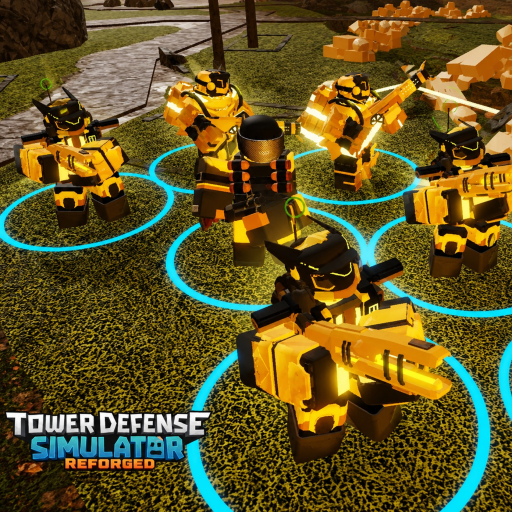
TDS Reforged Controles & Hotkeys
Make placement and targeting muscle memory before Hardcore.
Clean inputs win more matches than raw tower rarity in TDS: Reforged. This controls guide focuses on the actions you repeat every wave: select, place, upgrade, retarget, and sell.
Core actions
Fan TDS-likes generally share a compact scheme (exact bindings can change after UI patches—recheck in Settings):
- Number keys / tower bar — select a loadout slot for placement
- Left click — place the selected tower on valid ground
- Upgrade — often bound near E or an on-screen Upgrade button when a tower is selected
- Sell — frequently X or a Sell button; confirm you are not deleting your only defense
- Targeting cycle — commonly T or a target dropdown: First, Last, Strongest, Weakest, and special priorities
If your client differs, open Settings immediately after Primeiros passos and note your personal binds.
Placement workflow
- Select the slot before the wave timer forces a panic click.
- Rotate the ghost placement if the game supports facing—face into the path for directional towers.
- Place, then immediately decide: upgrade now or save for a second copy.
- Re-select after placement; many leaks happen because players leave the bar on an expensive tower they cannot afford.
Targeting discipline
First handles early evenly spaced zombies. Strongest matters when bosses and tanks enter. Last can protect against slip-throughs on multi-bend maps. Hidden or stealth enemies may need detection towers before DPS targeting matters at all. Pair this page with Torres de slow so stuns land on the right packs.
Sell timing
Selling is not failure—it is tempo. Before boss waves documented in Solo Hardcore or Death Invasion, convert obsolete early towers into cash for spiked DPS. treino sells in easy maps so you never misclick your farm.
Camera and UI
Zoom out enough to see the full path. Watch cash and health widgets every few seconds. On mobile, bind thumbs so upgrade and sell are not on opposite corners; consider a claw grip for tense waves.
Custom gamemode considerations
When you author modes in the Custom Gamemode guide, remember testers may be on different devices. Avoid wave designs that require frame-perfect hotkey sequences unless you document them.
Drill routine
Spend one lobby just placing and selling without worrying about triumphs. Then run the Checklist de waves and queue a real map. Combine controls mastery with Tier list geral picks so mechanical skill and tower quality rise together.
Related
- Hub de guias
- Planejador de loadout
- Notas de patch if binds change after an update
Loop de treino extra
Repita uma partida de treino intencional depois de ler esta página. Ignore caça a triumph nessa sessão — foque em uma habilidade: timing de venda, troca de targeting ou breakpoints de economia. Depois entre em uma tentativa real e anote a wave onde vazou. Compare essa nota com o Hub de guias, the Hub de tier lists, and the Hub de atualizações para que a próxima mudança seja baseada em evidência, não no acaso.
Quando testar torres novas, mude só um slot no Planejador de loadout at a time. Combine a mudança com a Checklist de waves para manter hábitos pré-partida estáveis. Se cair um patch do Roblox, passe os olhos em Notas de patch antes de culpar sua mecânica. TDS: Reforged evolui rápido com conteúdo custom da Vince Games: os melhores jogadores revalidam premissas após cada update grande e continuam treinando fundamentos em mapas padrão entre os modos de destaque.
Notas finais for guides/controls.json
Este artigo foca em TDS Reforged Controls Guide (Controls). Após o próximo patch, releia só as seções de torres ou modos que você realmente joga e mude um único slot de loadout. Review tag: RF-3-20-27.
Se a busca te trouxe aqui, abra duas páginas irmãs do mesmo grupo de navegação antes de entrar na fila. Quando a Vince Games atualizar o lobby, volte primeiro ao hub da categoria e depois a esta URL.
Escreva uma frase sobre a meta da próxima partida, use a Checklist de waves ou o Planejador de loadout se fizer sentido, e abra o place verificado de TDS: Reforged.
Metas de sessão tied to Controls
Escolha uma meta mensurável: chegar a uma wave-alvo, testar uma torre de slow ou concluir um fluxo de resgate. Goals labeled with Controls keep treino honest. Marque passe ou falha depois e ajuste uma premissa de tier list ou agende um drill de controles.
Compartilhar com o time
Ao compartilhar esta URL, inclua nome do mapa, dia aproximado do patch e solo versus co-op. Esse contexto impede amigos de lerem errado tips específicas de modo. Peça que fiquem nos links desta categoria em vez de pular aleatoriamente pela wiki.
Barra de qualidade for TDS Reforged Controls Guide
Prefira uma edição cuidadosa a empilhar rumores. Se um vídeo de creator discordar dos passos escritos, faça um teste curto in-game no place da Vince Games antes de refazer o loadout principal. Reforged muda rápido; suas notas e esta página devem acompanhar.
Perguntas frequentes
Respostas rápidas às dúvidas mais comuns.
Do PC and mobile share identical binds?
Actions match, but mobile relies more on HUD buttons. Remap where the client allows.
What targeting should beginners default to?
First for early waves, then switch to Strongest when tanks and bosses appear.
Can scripts change controls?
Some automation tools override inputs. Read Script Safety before mixing macros with manual play.
Why did my upgrade key stop working?
You may not have a tower selected, lack cash, or the patch rebound keys—check Settings.