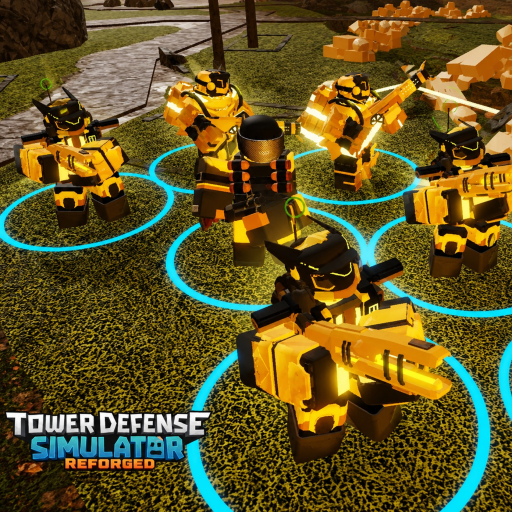
TDS Reforged Steuerung & Hotkeys
Make placement and targeting muscle memory before Hardcore.
Clean inputs win more matches than raw tower rarity in TDS: Reforged. This controls guide focuses on the actions you repeat every wave: select, place, upgrade, retarget, and sell.
Core actions
Fan TDS-likes generally share a compact scheme (exact bindings can change after UI patches—recheck in Settings):
- Number keys / tower bar — select a Loadout slot for placement
- Left click — place the selected tower on valid ground
- Upgrade — often bound near E or an on-screen Upgrade button when a tower is selected
- Sell — frequently X or a Sell button; confirm you are not deleting your only defense
- Targeting cycle — commonly T or a target dropdown: First, Last, Strongest, Weakest, and special priorities
If your client differs, open Settings immediately after Einstieg and note your personal binds.
Placement workflow
- Select the slot before the wave timer forces a panic click.
- Rotate the ghost placement if the game supports facing—face into the path for directional towers.
- Place, then immediately decide: upgrade now or save for a second copy.
- Re-select after placement; many leaks happen because players leave the bar on an expensive tower they cannot afford.
Targeting discipline
First handles early evenly spaced zombies. Strongest matters when bosses and tanks enter. Last can protect against slip-throughs on multi-bend maps. Hidden or stealth enemies may need detection towers before DPS targeting matters at all. Pair this page with Slow-Türme so stuns land on the right packs.
Sell timing
Selling is not failure—it is tempo. Before boss waves documented in Solo Hardcore or Death Invasion, convert obsolete early towers into cash for spiked DPS. Übung sells in easy maps so you never misclick your farm.
Camera and UI
Zoom out enough to see the full path. Watch cash and health widgets every few seconds. On mobile, bind thumbs so upgrade and sell are not on opposite corners; consider a claw grip for tense waves.
Custom gamemode considerations
When you author modes in the Custom Gamemode guide, remember testers may be on different devices. Avoid wave designs that require frame-perfect hotkey sequences unless you document them.
Drill routine
Spend one lobby just placing and selling without worrying about triumphs. Then run the Wellen-Checkliste and queue a real map. Combine controls mastery with Overall-Tier-List picks so mechanical skill and tower quality rise together.
Related
- Guide-Hub
- Loadout-Planer
- Patch Notes if binds change after an update
Extra-Übungsschleife
Spielen Sie nach dem Lesen bewusst ein Übungsmatch. Ignorieren Sie Triumph-Jagd in dieser Session — fokussieren Sie eine Fähigkeit: Sell-Timing, Targeting-Wechsel oder Economy-Schwellen. Dann starten Sie einen echten Versuch und notieren die Welle mit Leak. Vergleichen Sie die Notiz mit dem Guide-Hub, the Tier-List-Hub, and the Update-Hub damit die nächste Änderung evidenzbasiert statt zufällig ist.
Wenn Sie neue Türme testen, ändern Sie nur einen Slot im Loadout-Planer at a time. Kombinieren Sie die Änderung mit der Wellen-Checkliste damit Pre-Match-Gewohnheiten stabil bleiben. Wenn ein Roblox-Patch kommt, skim Patch Notes bevor Sie Ihre Mechanik beschuldigen. TDS: Reforged entwickelt sich schnell mit Vince-Games-Custom-Content: Starke Spieler validieren Annahmen nach jedem großen Update neu und trainieren Fundamentals auf Standard-Maps zwischen Headline-Modi.
Abschlussnoten for guides/controls.json
Dieser Artikel fokussiert TDS Reforged Controls Guide (Controls). Nach dem nächsten Patch lesen Sie nur Abschnitte zu Türmen/Modi, die Sie wirklich spielen, und ändern dann einen Loadout-Slot. Review tag: RF-3-20-27.
Wenn die Suche Sie hierher brachte, öffnen Sie vor dem Queue zwei Geschwisterseiten derselben Navigationsgruppe. Wenn Vince Games die Lobby updated, zuerst zum Kategorie-Hub, dann zu dieser URL.
Schreiben Sie einen Satz zum nächsten Match-Ziel, nutzen Sie bei Bedarf Wellen-Checkliste oder Loadout-Planer und öffnen Sie den verifizierten TDS:Reforged-Place.
Session-Ziele tied to Controls
Wählen Sie ein messbares Ziel: Zielwelle erreichen, Slow-Turm testen oder Einlöse-Workflow abschließen. Goals labeled with Controls keep Übung honest. Danach Pass/Fail markieren und entweder eine Tier-List-Annahme anpassen oder ein Controls-Drill planen.
Mit Teamkollegen teilen
Beim Teilen dieser URL Map-Name, ungefähren Patch-Tag und Solo vs. Co-op angeben. Dieser Kontext verhindert, dass Freunde modus-spezifische Tipps falsch lesen. Bitten Sie sie, in den Links dieser Kategorie zu bleiben statt wild durchs Wiki zu springen.
Qualitätsleiste for TDS Reforged Controls Guide
Lieber sorgfältig editieren als Gerüchte stapeln. Wenn ein Creator-Video den geschriebenen Schritten widerspricht, testen Sie kurz in-game auf dem Vince-Games-Place, bevor Sie das Haupt-Loadout umbauen. Reforged bewegt sich schnell; Ihre Notizen und diese Seite sollten mitziehen.
Häufige Fragen
Kurze Antworten auf die häufigsten Fragen.
Do PC and mobile share identical binds?
Actions match, but mobile relies more on HUD buttons. Remap where the client allows.
What targeting should beginners default to?
First for early waves, then switch to Strongest when tanks and bosses appear.
Can scripts change controls?
Some automation tools override inputs. Read Script Safety before mixing macros with manual play.
Why did my upgrade key stop working?
You may not have a tower selected, lack cash, or the patch rebound keys—check Settings.